



Selective Scenario Re-runs for Voice AI Testing
A customer called us frustrated. They'd fixed a bug in their appointment booking flow - one specific edge case - and now they had to wait 45 minutes for their entire test suite to run. 800 scenarios, most of which had nothing to do with the fix.
"I just changed one flow," they said. "Why do I have to rerun everything?"
Fair point. Now you don't have to.
Quick filter: If you only changed one flow, you shouldn't have to rerun everything.

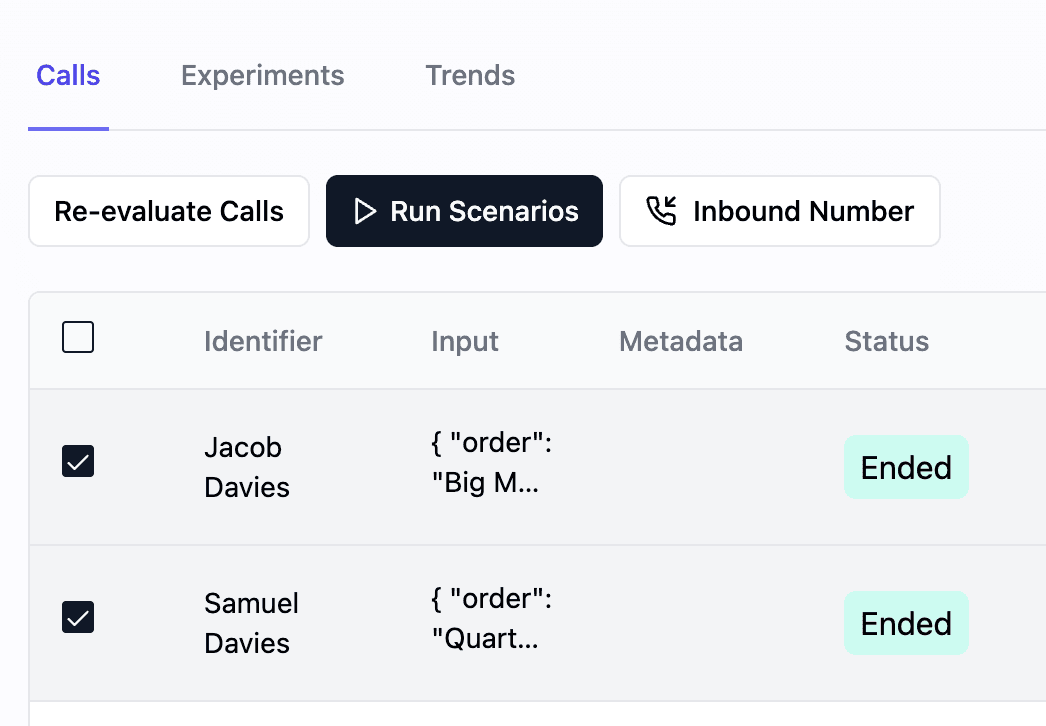
What's New
- Selective scenario re-runs: Choose specific test cases to validate without running the entire test suite
- Re-scoring functionality: Apply new scoring metrics to previously completed tests
| Feature | Question it answers | Why it matters |
|---|---|---|
| Selective re-runs | Which specific cases should I retest? | Saves time versus full suites |
| Re-scoring | How do new metrics change results? | Validates updated eval criteria |
Why It Matters
Efficient testing is essential for rapid development and deployment of voice AI agents. Running complete test suites repeatedly can be time-consuming and resource-intensive. If you have ever waited on a full suite just to validate one fix, this is for you. With selective re-runs, you can:
- Accelerate Development: Test specific changes quickly and efficiently
- Optimize Resources: Minimize processing overhead by running only necessary tests
- Enhance Accuracy: Focus on specific scenarios for precise validation
- Improve Workflow: Integrate targeted testing into your development process
This targeted approach enables teams to iterate faster while maintaining high quality standards, making issue identification and resolution more efficient.
How to Use
To use selective scenario re-runs:
- Navigate to Voice Agents
- Select a voice agent
- Press "Run Scenarios"
- Select the scenarios you want to re-run
Looking Ahead
The selective re-run feature demonstrates our commitment to making voice AI testing more efficient and accessible.
